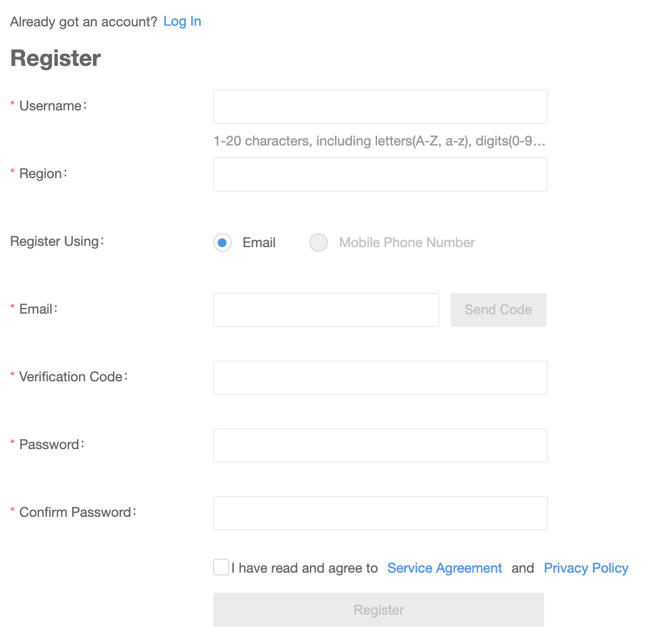
1. Create an account
The first step is to create an account at star4live.com.
2. Email [email protected]
Send us an email with the email address you used to create the account and the location of your facility. We will then grant that account access to view the cameras. Unfortunately, we cannot grant access until the account has been created.
3. Download the Vision app and sign in

Download and install the Invid Vision app from either the Apple App Store or Google Play store.


Then sign in with the account that you created on
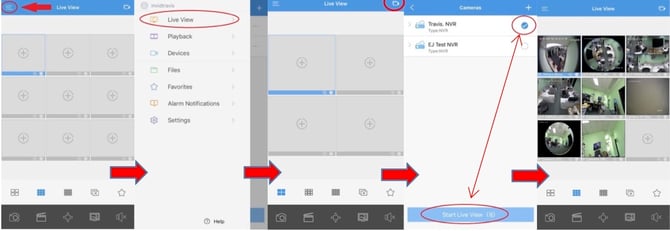
4. Viewing cameras from your InVid Vision app
• Open your mobile app and tap the menu button in the top left hand corner
• Choose “Live View”
• Tap the Camera Icon in the top right hand corner
• Select your device, then tap “Start Live View”